solaristudy
SolariStudy





Most study tools turn AI into a lazy answer-generator or a generic quiz-maker. SolariStudy turns it into an active, disciplined tutor. This is my summarization of the app. Since I started using AI on a daily basis for helping me study I found some issues like chat organization, a zone specific for the AI to grade me and adaptation to problem-solving instead of random quizzes which aren’t on the same difficulty as olympiad problems. So here I was on a journey of creating my first ever app, that works both on mobile and PC. You can also try it, I wrote it in a section in the bottom of this READme. Enjoy!
Highlights
- Automated Work Ingestion: Take photos of raw textbook pages, notes, or worksheets and the AI carefully extracts and prepares the study problems/materials that you want to study.
- Objective AI Evaluation: After each study session, the AI grades your progress, eventually giving you hints or explanations if you face situations where you dont know what to do.
- Zero-Distraction Mobile UI: The UI is made such that it isn’t too stimulating, creating a relaxing and nice environment to study.
- Smart Progress Tracking: Instead of a long list of past chats, SolariStudy lets you organize your chats into personal folders on each study category (Math, Physics, Linguistics etc.).
- Cross-Platform Readiness: The app is available on both Android and PC.
Overview
Most students who try using AI for school end up with the same problems: messy unorganized chat logs, AI models that spit out full answers without teaching anything, and zero accountability.
SolariStudy fixes this by structuring your revision into two dedicated modes:
- SolariLearn: An active, study partner. Instead of doing the work for you, it breaks complex concepts down step by step, making study materials and books way easier to go through.
- SolariSolve: A strict, structured focus session. It extracts problems from text or camera photos, locks in a focus timer, gives subtle hints if you get stuck, and objectively grades your final work with structured scorecards once the time is up.
Author
- MateiBt – GitHub Profile
Usage
SolariStudy is structured around a clean, distraction-free navigation sidebar to keep your workflow highly organized:
1. Daily Dashboard & Metrics
(Track your consistency at a glance)
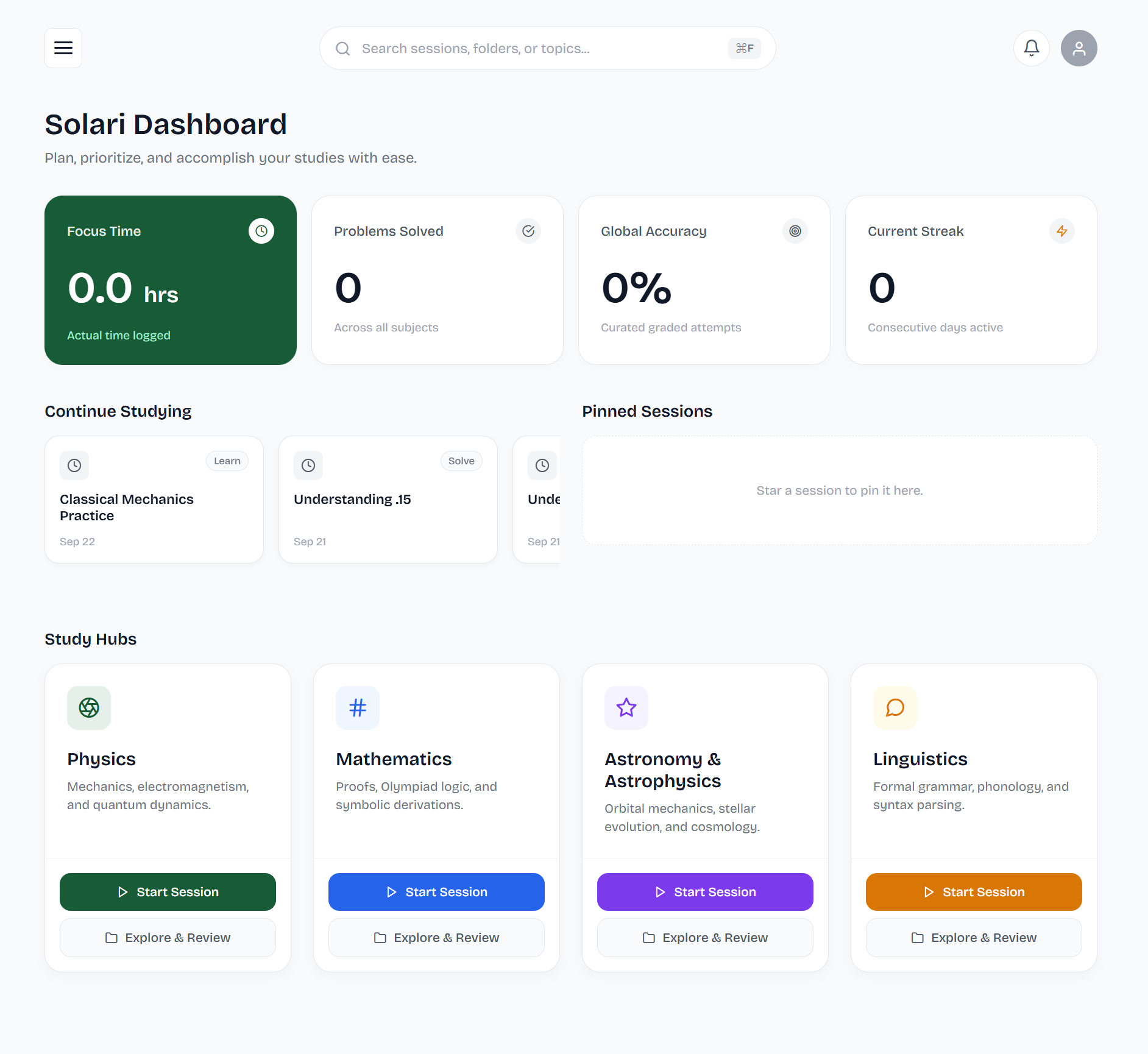
The sidebar displays real-time metrics, including your current Day Streak and overall Accuracy. Navigate from the Home tab to get a quick overview of your current study standing.
2. Study Engine
(The core of SolariLearn & SolariSolve)
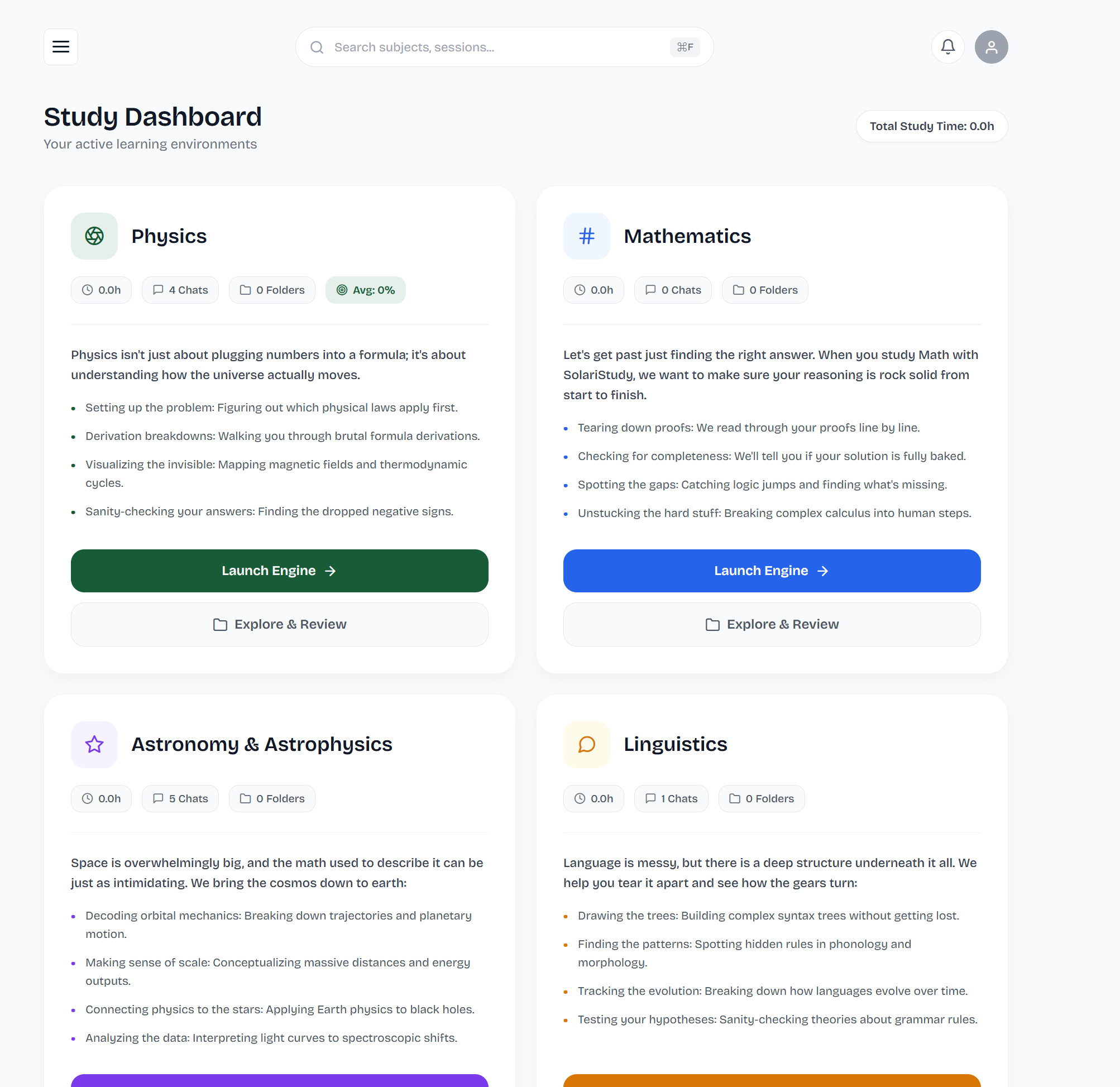
Access the Study Engine to initiate active conversational tutoring (with live LaTeX math rendering) or start a timed, strict focus session where you upload problem sets and work against the clock.
3. Explore Subjects (Isolated Hubs)
(Keep your topics cleanly separated so history never bleeds across subjects)
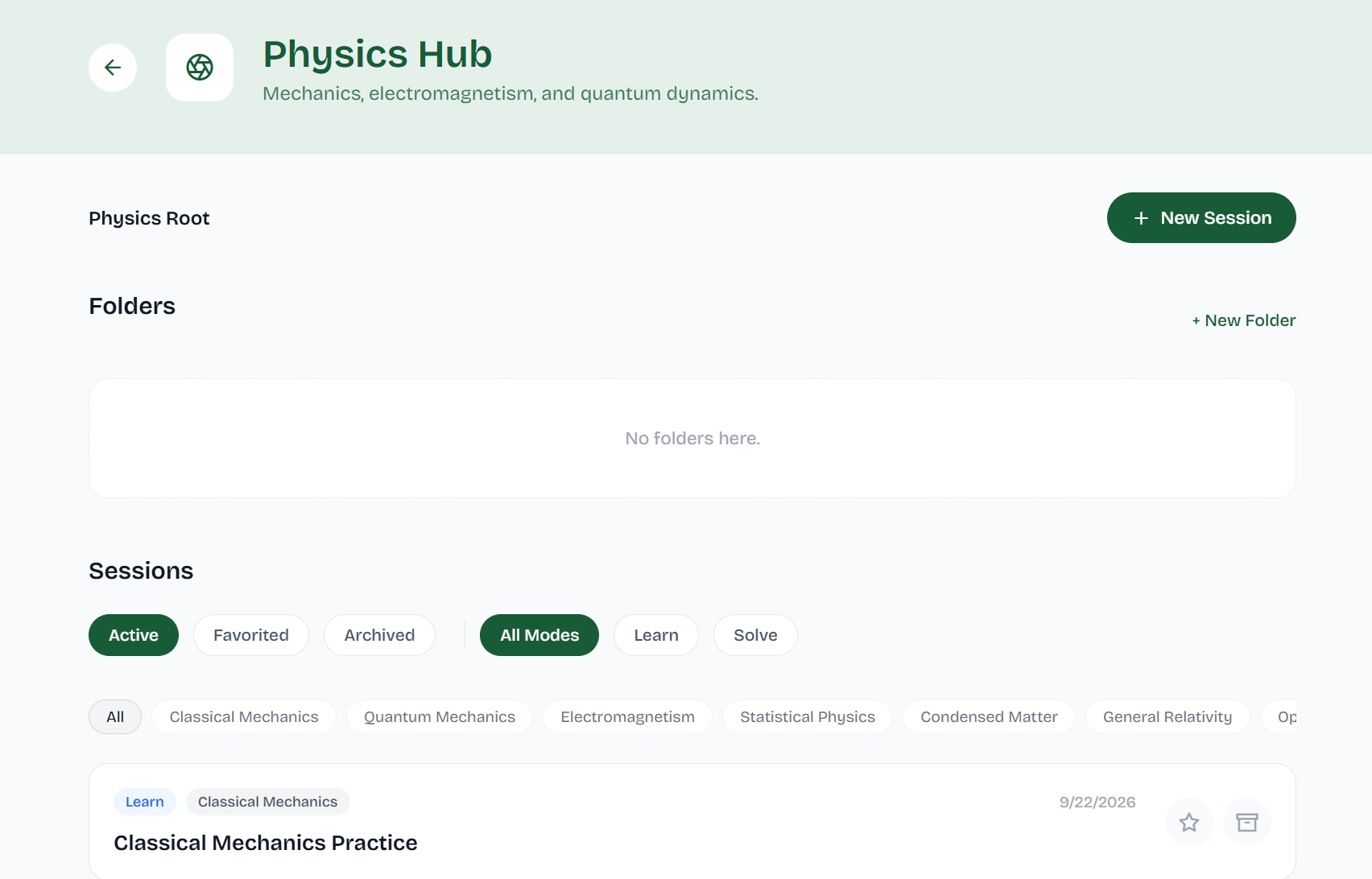
Manage your sessions in dedicated workspaces. Jump straight into specific folders like Physics, Mathematics, Astronomy & Astrophysics, or Linguistics without scrolling through a wall of unrelated conversations.
4. My Progress & Leaderboards
(Monitor your long-term growth)
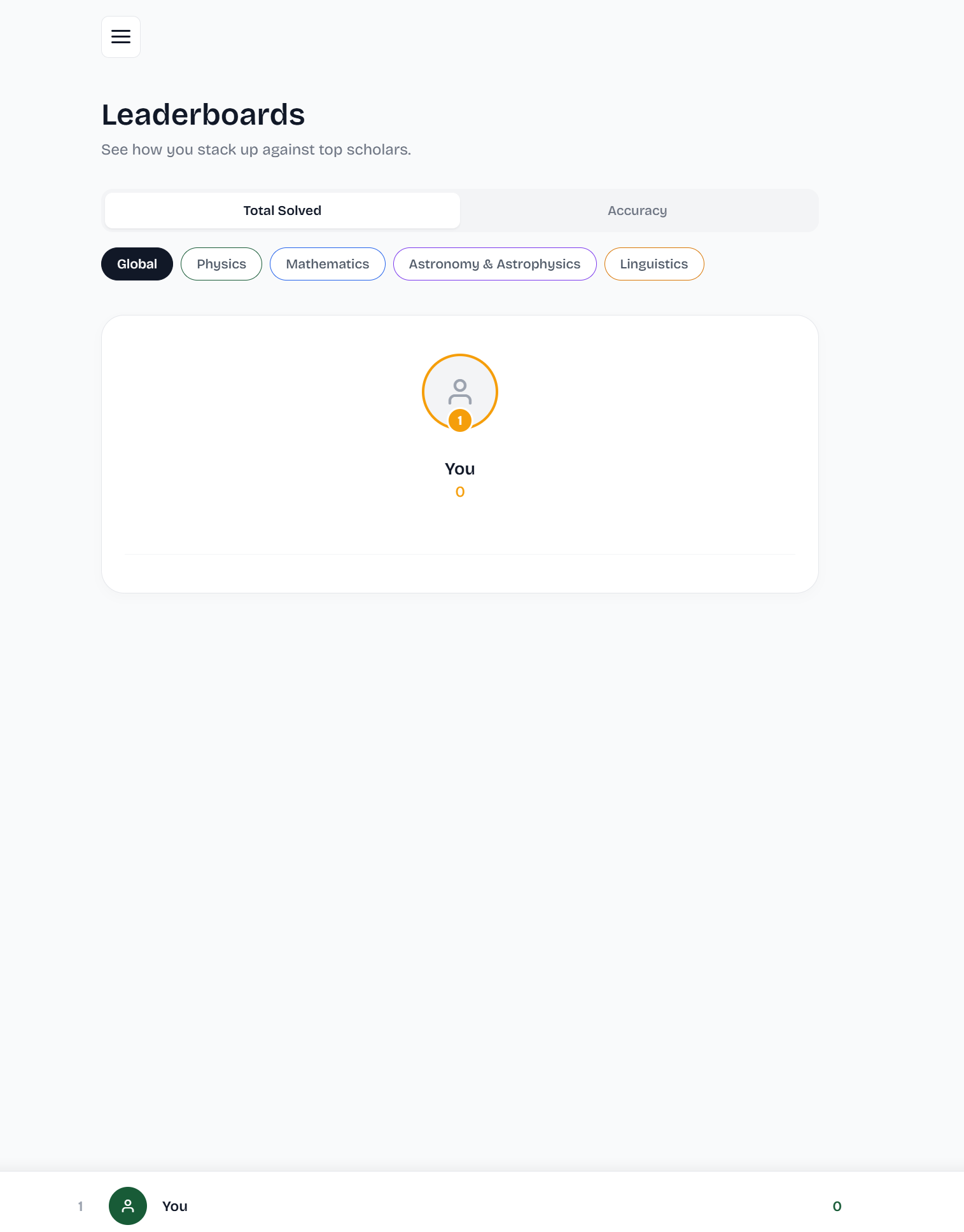
Use the My Progress and Leaderboards tabs to review your automated feedback, check your structured scorecards from past SolariSolve sessions, and see how you stack up.
Installation
Heads Up: While the Android build is accessible below for testing, I strongly recommend using the desktop/web version on PC. The mobile version is still in active development and quite buggy.
Option 1: Direct Android APK (Experimental Preview)
If you’d like to test the experimental mobile build:
Download SolariStudy Android APK
- Open the link above on your Android device.
- Download and open the
.apkfile. - Toggle Allow installation from unknown sources in settings if prompted.
- Open SolariStudy.
Option 2: Run Locally (Development Setup)
Prerequisites
- Node.js (v18 or higher recommended)
- Git
- Web browser, Android Studio (emulator), or a phone with Expo Go
1. Clone the repository
git clone [https://github.com/MateiBt/solaristudy.git](https://github.com/MateiBt/solaristudy.git)
cd solaristudy
2. Install dependencies
npm install
3. Set up environment variables
Create a .env file in the root directory:
EXPO_PUBLIC_SUPABASE_URL=your_supabase_project_url
EXPO_PUBLIC_SUPABASE_ANON_KEY=your_supabase_anon_key
EXPO_PUBLIC_GEMINI_API_KEY=your_gemini_api_key
4. Start the development server
npx expo start
Acknowledgments
The README layout and formatting was inspired by the clean documentation template by @banesullivan. I owe a lot of thanks because I had no prior experience with creating READme’s like this one.